
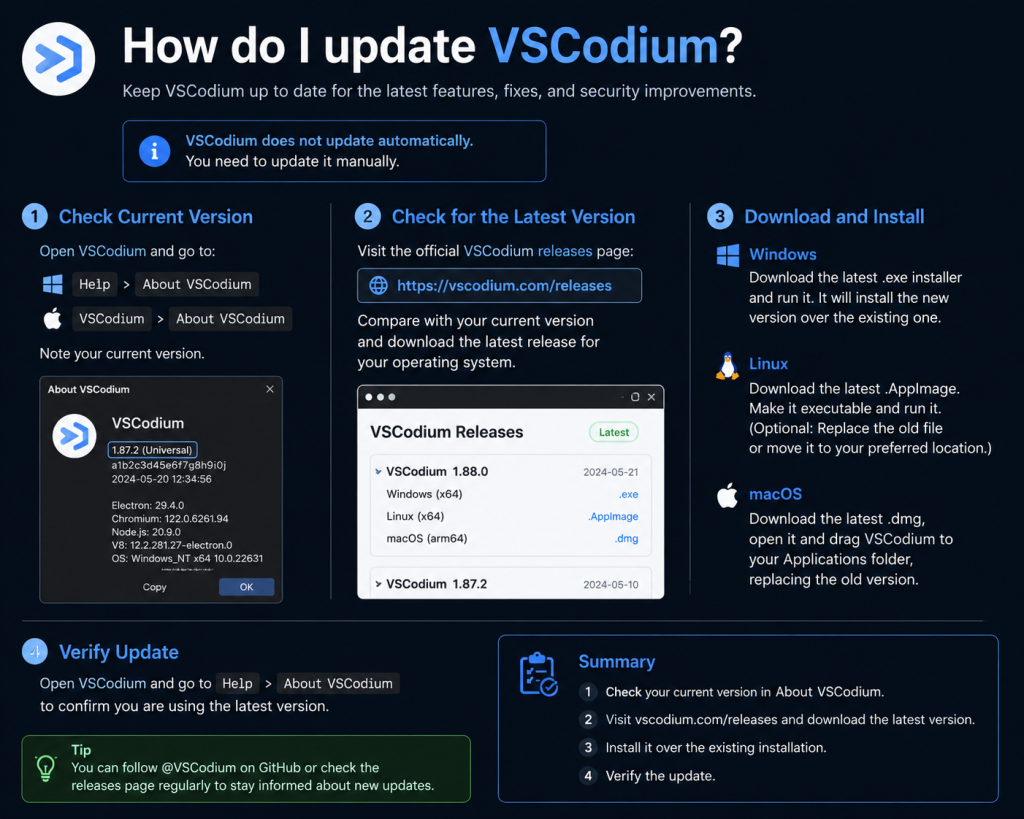
Updating VSCodium is an important but often confusing task for many users because it doesn’t always update in the same way on every system. How you update it mainly depends on how it was installed—through a package manager, installer, or manual download.
In simple terms, updating VSCodium means replacing your current version with the latest stable release so you can get new features, bug fixes, and security improvements without reinstalling everything from scratch.
Read More: How Do I Install VSCodium on Linux?
Why Updating VSCodium Matters
Updating VSCodium ensures you get:
- Latest bug fixes and stability improvements
- Improved security patches
- New features and extensions support
- Better performance and compatibility
Skipping updates may cause issues with extensions or development tools over time.
How to Update VSCodium on Windows
If you installed VSCodium using the official installer:
- Open VSCodium
- Go to Help > Check for Updates
- If an update is available, download and install it
- Restart the application after installation
If you installed via a package manager like Scoop or Chocolatey:
- For Scoop:
scoop update vscodium- For Chocolatey:
choco upgrade vscodiumHow to Update VSCodium on Linux
Updating VSCodium on Linux depends on your package manager.
Debian / Ubuntu (APT method)
sudo apt update
sudo apt upgrade codium
Fedora (DNF method)
sudo dnf upgrade codiumArch Linux (AUR)
yay -Syu vscodiumSnap Package
sudo snap refresh codiumHow to Update VSCodium on macOS
If installed via Homebrew:
brew update
brew upgrade --cask vscodium
If you downloaded the .dmg file:
- Download the latest version from the official site
- Replace the existing app in the Applications folder
Enable Automatic Updates (Optional)
Some installations of VSCodium can support automatic updates depending on your system. Package managers like Snap and Homebrew usually handle this automatically when you run system upgrades.
Common Issues When Updating VSCodium
1. Update command not found
This usually means VSCodium wasn’t installed via a package manager.
2. Old version still showing
Try restarting your system after update.
3. Permission errors on Linux
Use sudo before commands or check your repository settings.
Conclusion
Updating VSCodium is a simple but essential part of keeping your development environment stable, secure, and up to date. Whether you use Windows, Linux, or macOS, the update process usually depends on your installation method, but it’s generally quick and easy once you know the right steps.
By regularly updating VSCodium, you ensure better performance, fewer bugs, and access to the latest features that improve your coding experience. Staying updated also helps maintain compatibility with modern tools and extensions, making your workflow smoother and more efficient.