
VSCodium Download for Windows, Mac, and Linux
Download VSCodium, the open-source binary distribution of Visual Studio Code. Enjoy a powerful code editor without Microsoft telemetry while maintaining compatibility with your favorite development tools and extensions.
24K+
GitHub Stars
2M+
Downloads
500+
Contributors
- About VSCodium
What is VSCodium?
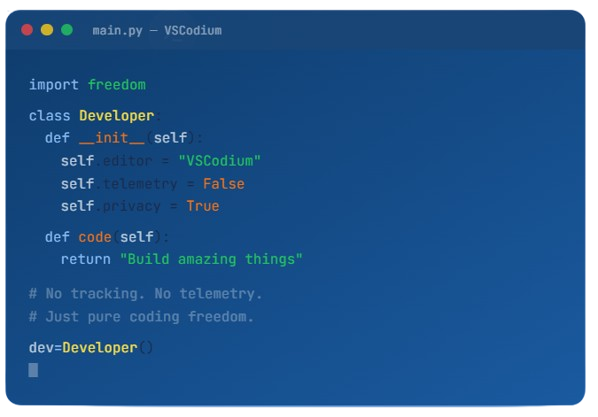
VSCodium is a free and open-source code editor built from the same source code that powers Visual Studio Code. It is a community-driven project that provides developers with a familiar coding environment while removing Microsoft’s proprietary branding, telemetry, and tracking components. As a result, users can enjoy a clean, privacy-focused development experience without sacrificing the features and functionality that have made VS Code one of the world’s most popular editors.
Designed for programmers, web developers, software engineers, and IT professionals, VSCodium includes powerful tools for writing, editing, debugging, and managing code across a wide range of programming languages. It supports extensions, integrated terminals, Git version control, intelligent code completion, and customizable workspaces, making it suitable for both beginners and experienced developers.
One of VSCodium’s biggest advantages is its commitment to transparency and user control. The project automatically builds open-source binaries from the publicly available VS Code repository, ensuring that users have access to a fully functional editor without unnecessary data collection. Whether you are developing websites, desktop applications, cloud services, or open-source projects, VSCodium offers a modern, reliable, and privacy-conscious alternative to traditional code editors.
- Powerful Features
Main Features of VSCodium
VSCodium combines powerful development tools with a privacy-focused, open-source foundation. From intelligent code editing and integrated debugging to Git support and customizable extensions, it provides everything developers need to build, manage, and maintain projects efficiently. Whether you’re working on web applications, software development, or open-source projects, VSCodium delivers a streamlined and productive coding experience.
Intelligent Code Editing
VSCodium provides a modern coding environment designed to improve productivity and code quality. It includes advanced syntax highlighting, intelligent code completion, automatic formatting, and real-time error detection to help developers write clean and efficient code. Support for numerous programming languages makes it suitable for a wide range of development projects.
Git Integration
Built-in Git integration allows developers to manage version control without leaving the editor. Users can track changes, review modifications, create commits, switch branches, and synchronize repositories directly from the interface.
Debugging Tools
VSCodium includes powerful debugging capabilities that simplify the process of identifying and resolving issues within applications.
Extension Support
The editor supports a wide range of extensions that allow users to customize their development environment according to their needs.
Workspace Management
Developers can work with multiple folders, save workspace settings, manage project configurations, and quickly switch between tasks.
Integrated Terminal
An integrated terminal enables developers to access command-line tools without switching between applications. Users can run scripts, execute commands, manage packages, and interact with development environments directly within the editor.
Workspace Management
VSCodium offers flexible workspace management features that make it easier to organize projects of any size. Developers can work with multiple folders, save workspace settings, manage project configurations, and quickly switch between tasks.
- Why Choose
Why Choose VSCodium?
VSCodium offers the perfect balance of performance, flexibility, and privacy for modern developers. Built from the open-source Visual Studio Code codebase, it delivers a familiar coding experience while removing unnecessary telemetry and proprietary elements. Whether you’re a professional developer, student, or open-source enthusiast, VSCodium provides a reliable and transparent environment for building projects across multiple platforms. Its powerful features, community-driven development, and commitment to user freedom make it an excellent choice for anyone seeking a modern code editor.
Privacy First
VSCodium is designed with privacy in mind by removing Microsoft's telemetry and tracking components from the official VS Code build. This gives developers greater control over their data and creates a more transparent development environment without compromising functionality or performance.
Open Source Freedom
As a fully open-source project, VSCodium provides freely available binaries built directly from publicly accessible source code. This commitment to transparency allows users to inspect, verify, and use the software with confidence while benefiting from community-driven improvements.
Familiar User Experience
VSCodium retains the modern interface, productivity tools, and workflow that developers appreciate in Visual Studio Code. Users can enjoy intelligent coding features, customizable settings, and an intuitive design without the proprietary branding found in the official release.
Multi-Platform Compatibility
Available for Windows, macOS, and Linux, VSCodium delivers a consistent development experience across different operating systems. This cross-platform support allows developers to work seamlessly on their preferred devices while maintaining the same tools and configurations.
- Requirements
System Requirements
Before installing VSCodium, ensure your system meets the requirements for smooth performance and an optimal development experience. VSCodium is designed to run efficiently on modern operating systems and supports a wide range of hardware configurations, making it accessible to developers across different platforms.
Windows
- ✓ Windows 10 version 1903+
- ✓ 1.6 GHz+ processor
- ✓ 1 GB RAM minimum
- ✓ 200 MB disk space
macOS
- ✓ macOS 10.15 Catalina+
- ✓ Intel or Apple Silicon
- ✓ 1 GB RAM minimum
- ✓ 200 MB disk space
Linux
- ✓ Ubuntu 18.04+, Debian 10+
- ✓ Fedora 36+, RHEL 8+
- ✓ 1 GB RAM minimum
- ✓ 200 MB disk space
- Quick Setup
How to Install VSCodium
Getting started with VSCodium is a straightforward process. The editor is available for Windows, macOS, and Linux, allowing developers to quickly set up a privacy-focused development environment. Follow the steps below to download, install, and configure VSCodium on your system.
Download
Grab the installer for your operating system from the download section above or visit GitHub Releases.
Install
Run the installer like any regular application. No account creation or sign-up required.
Start Coding
Open VSCodium, install your favorite extensions, and start building. It's that simple.
Or install via package manager
- Customize Everything
Extensions & Themes
VSCodium uses the Open VSX Registry — a vendor-neutral, open-source extension marketplace. Most popular VS Code extensions are available.
Python
IntelliSense, linting, debugging
JavaScript
ES6+, Node.js support
Docker
Container management
GitLens
Supercharged Git experience
Themes
One Dark, Dracula, Nord & more
Prettier
Opinionated code formatter
Database
SQL tools & explorers
Live Server
Hot reload for web dev
- Honest Review
Pros & Cons
Every tool has trade-offs. Here’s an honest look at VSCodium.
Pros
- ✓ Zero Telemetry: No data is collected or sent to any server
- ✓ Fully Open Source: MIT licensed with reproducible builds
- ✓ Extension Support: Compatible with all VS Code extensions
- ✓ Same Experience: Identical UI, features, and performance
- ✓ Free Forever: No licensing, no accounts, no subscriptions
- ✓ Cross-Platform: Windows, macOS, and Linux support
Cons
- ✕ No Official Marketplace: Uses Open VSX instead of Microsoft's marketplace
- ✕ Slight Update Delay: Releases lag behind VS Code by hours or days
- ✕ Some Extensions Missing: A few proprietary extensions may not work
- ✕ No Remote Tunnels: Microsoft's remote tunnel feature is removed
- ✕ Manual Setup Needed: May require config for some corporate environments
- ✕ Less Brand Recognition: Not as widely known in enterprise settings
- Head to Head
VS Code vs VSCodium
Compare VS Code and VSCodium to understand differences in privacy, telemetry, licensing, ecosystem integration, and overall development experience.
| Feature | VS Code | VSCodium |
|---|---|---|
| Telemetry | Enabled by default | Completely removed |
| License | MIT + Proprietary | Fully MIT |
| Extension Marketplace | Microsoft Marketplace | Open VSX Registry |
| Branding | Microsoft branded | Community branded |
| Editor Features | Full | Full (identical) |
| Remote Tunnels | Included | Removed |
| Price | Free | Free |
- Security
Your Code Stays Yours
When you use VS Code, Microsoft collects data about your editing patterns, the languages you use, the files you open, and more. VSCodium ensures that what happens in your editor stays in your editor.
No Usage Tracking
Zero data sent about your coding habits, file types, or editing patterns.
No Machine IDs
Unique machine identifiers are not generated or transmitted.
No Network Calls
Removed all outbound connections to Microsoft servers.
- Testimonials
Developers Love It
Discover what developers, programmers, and technology enthusiasts have to say about their experience using VSCodium. These reviews highlight the editor’s privacy-focused approach, open-source philosophy, performance, and developer-friendly features that make it a trusted choice for coding projects of all sizes.
- FAQ
Frequently Asked Questions
Find answers to common questions about VSCodium, including installation, features, compatibility, privacy, extensions, and usage.